テンプレート
AI Batch record bills from OneDrive to QuickBooks.
Loops through bills in a OneDrive folder and records them in QuickBooks until all files are processed, including bills that require human attention.
約15 minのセットアップ
Batch Record Bills from OneDrive to QuickBooks
Automatically process supplier bills from OneDrive and record them in QuickBooks Online with GST/VAT.
What it does
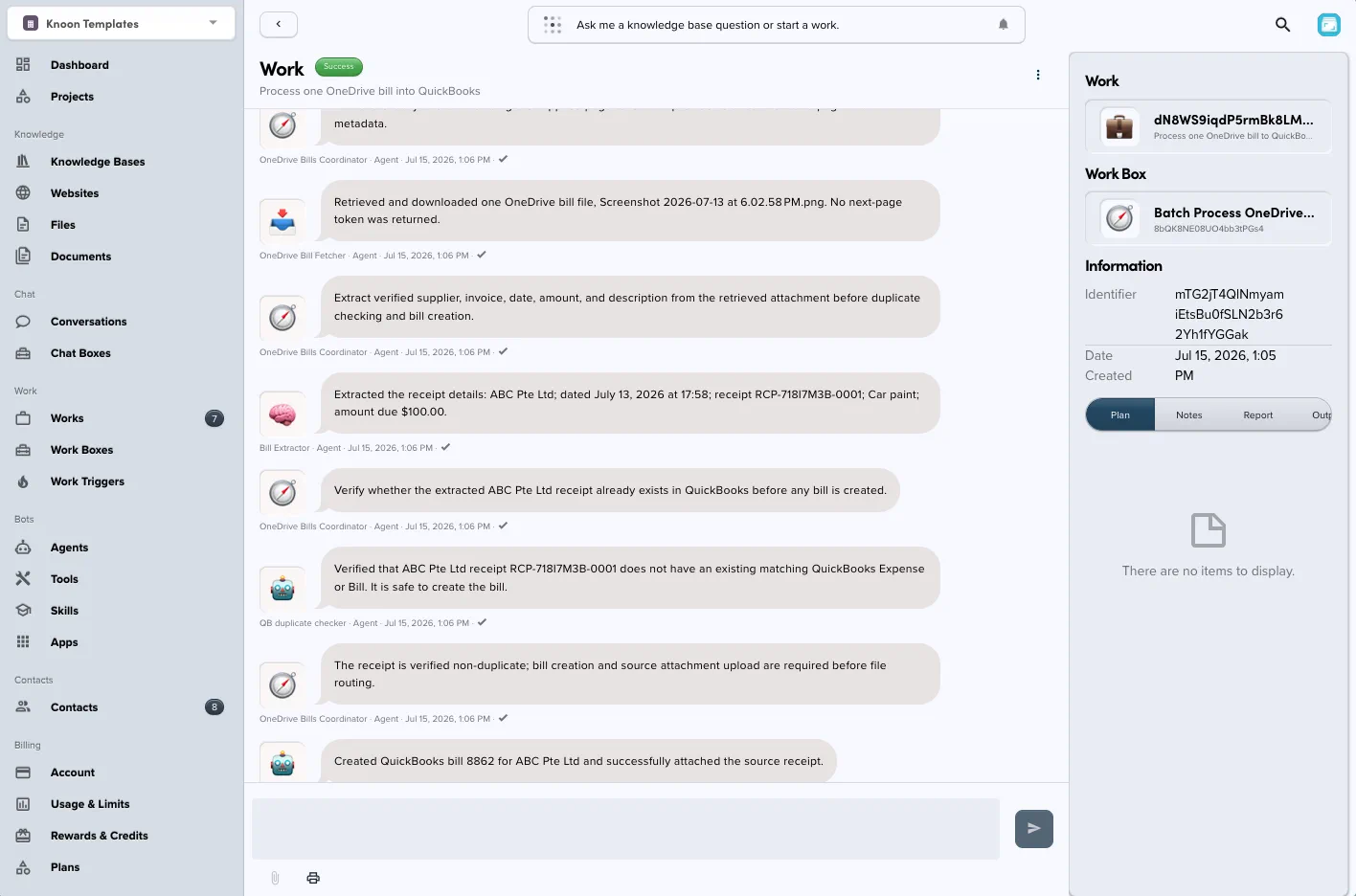
- Downloads one bill from a configured OneDrive folder.
- Extracts the bill details.
- Checks for duplicates.
- Finds or creates the QuickBooks vendor.
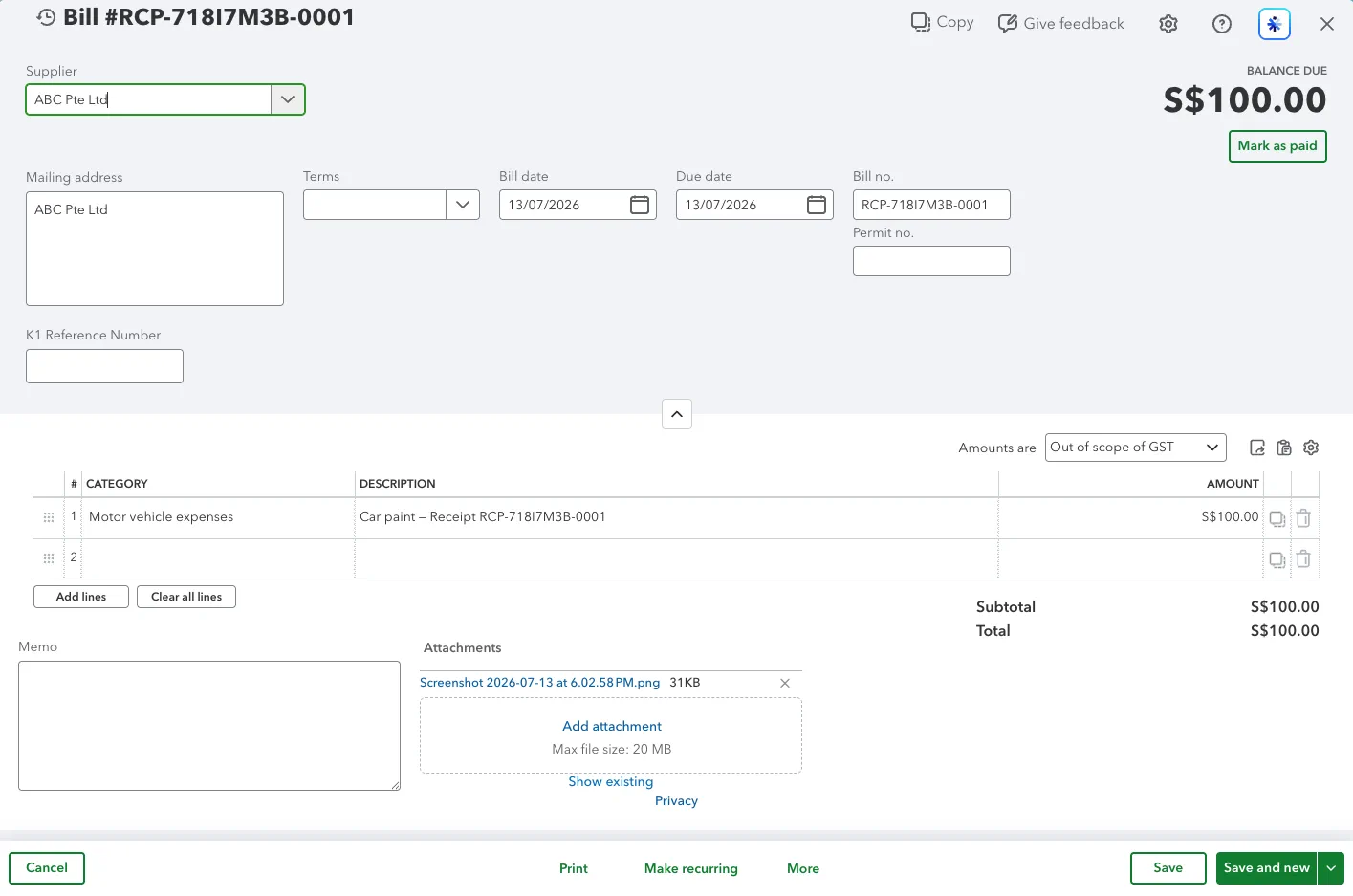
- Selects an expense account and GST/VAT tax code.
- Creates the bill and attaches the original file.
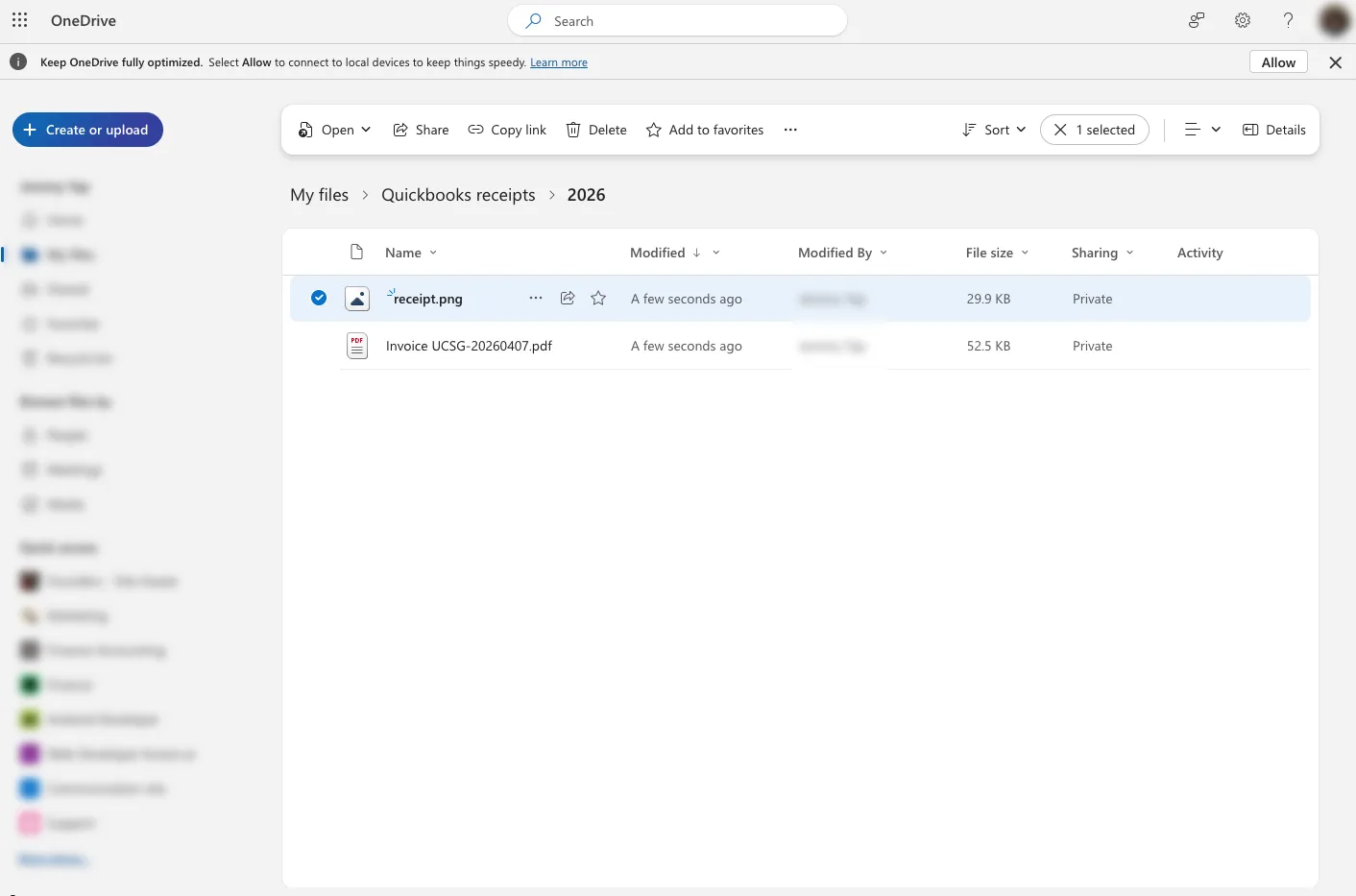
- Moves the file to the processed folder or
Need attention.
Requirements
- Microsoft OneDrive account
- QuickBooks Online company configured for GST/VAT
- Access to the required OneDrive folders
- Permission to read and create vendors, accounts, tax codes, bills, purchases, and attachments in QuickBooks
Setup
- Import the bundle into Knoon.
- Connect Microsoft OneDrive and QuickBooks.
- Select:
- the incoming bills folder
- the processed bills folder
- the
Need attentionfolder
- Review the available expense accounts and GST/VAT tax codes.
- Add a sample bill and run the workflow.
- Verify the bill in QuickBooks before enabling scheduled runs.
Result
The workflow creates the QuickBooks bill, attaches the source document, and moves the original file to the appropriate OneDrive folder.
This template deploys automatically to the cloud. No coding, self-hosted n8n setup, or Make.com flows are required. The workflow runs deterministically, so it stays predictable compared with agent-driven tools like Manus, OpenAI, or Tasklet.